

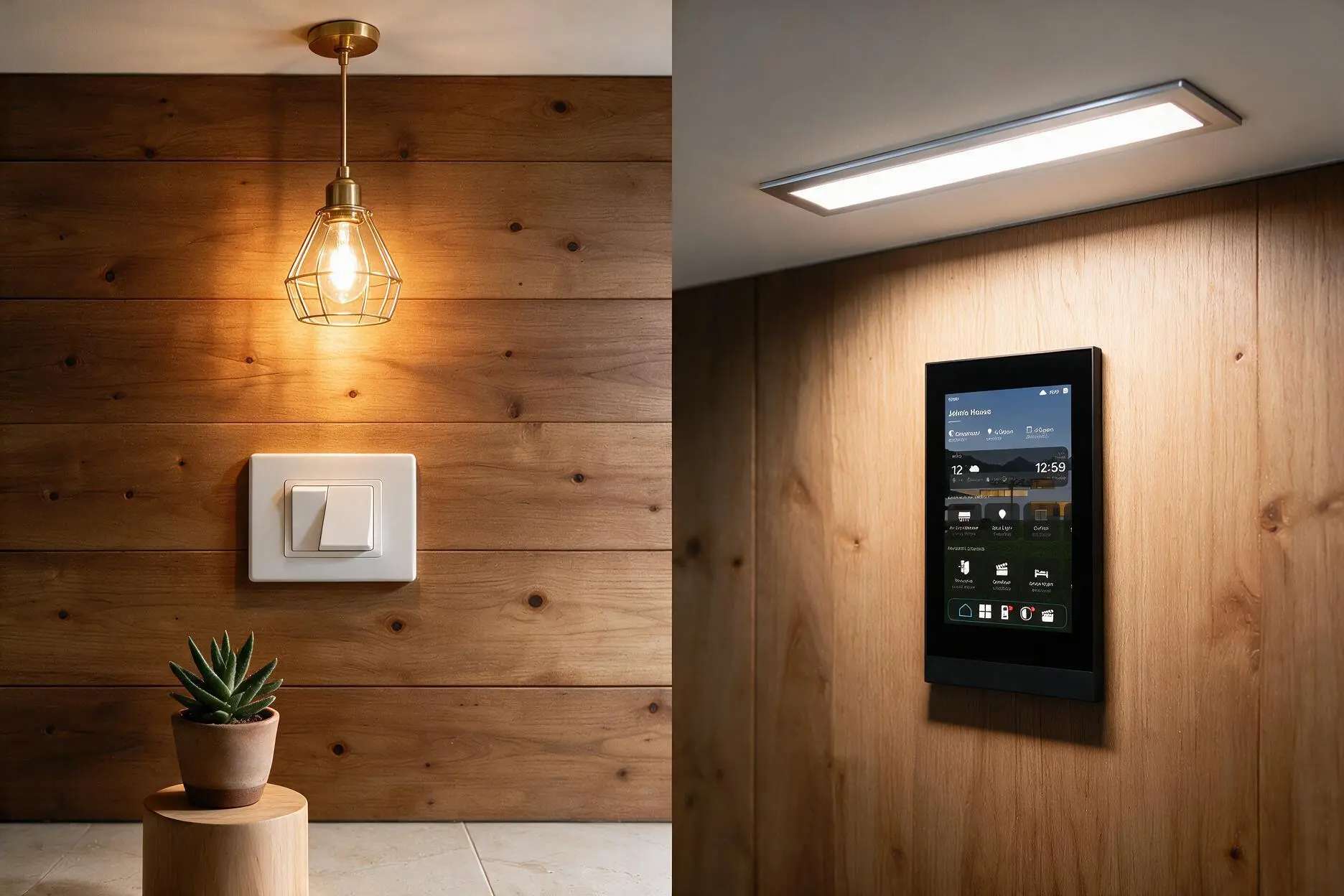
Traditional switches are simple mechanical switches — you flip them and the light goes on or off. Touch switch panels are electronic switches with a flat, glass touch surface, often with backlighting, and usually the entry point to a smart home — they can connect to apps, voice, scenes, and automation. Touch switches win on aesthetics, smart features, and control; traditional switches win on simplicity, lower cost, and working through anything (no power to the panel, no app needed). For a modern or smart home, touch panels are the natural choice; for a simple, budget setup, traditional switches still do the job.
Walk into any premium home today and the switches on the wall have changed — flat glass touch panels instead of the familiar mechanical toggles. But is a touch switch actually better, or just newer-looking? This guide compares them honestly, so you know which is right for your home.
Who Is This Guide For?
Homeowners building or renovating in Noida, Greater Noida, Gurgaon, or Delhi NCR, choosing between traditional switches and touch/smart switch panels. Architects and interior designers specifying switches for a project. And anyone wondering whether touch switches are worth it or just a fashionable upgrade.
What Is a Traditional Switch?
A traditional switch is a simple mechanical switch — the familiar rocker or toggle you physically flip to complete or break an electrical circuit. It's been the standard for decades for good reason: it's reliable, cheap, instantly understood by anyone, and works purely mechanically with nothing to configure.
Its limitation is that it does exactly one thing — turn a fixed circuit on or off from that one location. No dimming (without a separate dimmer), no remote control, no scenes, no integration.
What Is a Touch Switch Panel?
A touch switch panel is an electronic switch with a flat touch-sensitive surface — usually glass, often backlit, controlling lights and appliances with a tap instead of a mechanical flip. Beyond looks, most touch panels are the entry point to a smart home: they can connect to apps, voice assistants, and automation, letting you control lights remotely, set scenes, and schedule.
There's a spectrum here:
- Basic touch switches — just a touch surface replacing the mechanical flip, no smart features.
- Smart touch panels — connected switches that integrate with a home automation system for app control, scenes, and voice, like the Core smart home touch panel or premium KNX switches such as the Core Surface and ABB Tacteo.
Most people considering touch panels want the smart kind — the switch as a control point for the whole home, not just an on/off pad.
Touch Switch vs Traditional Switch — Side by Side
| Factor | Traditional Switch | Touch Switch Panel |
|---|---|---|
| Operation | Mechanical flip | Tap on glass surface |
| Look | Standard, functional | Sleek, premium, backlit |
| Smart features | None | App, voice, scenes, schedules |
| Dimming | Needs separate dimmer | Often built in |
| Cost | Low | Higher |
| Works without power to panel | Yes (purely mechanical) | Needs power/electronics |
| Learning curve | None | Slight (esp. for elderly) |
| Best for | Simple, budget setups | Modern & smart homes |
The Case for Touch Switch Panels
Aesthetics. Flat, seamless glass panels look far more premium than mechanical switches — a clean, modern wall instead of rows of toggles. In a well-designed home, they matter visually.
Smart integration. This is the real draw. A smart touch panel connects your lights and appliances to app control, voice, scenes, and automation — the foundation of a smart home. One panel can trigger a whole "scene" (dim lights, close curtains) rather than flipping switches one by one.
Built-in dimming and scenes. Many touch panels dim without a separate dimmer and store scenes, giving control a traditional switch simply can't.
Backlighting. Illuminated touch points are easy to find in the dark — no fumbling for a switch.
Fewer switches, more control. A single panel can control multiple circuits and scenes, reducing wall clutter while doing more.
The Case for Traditional Switches
Being honest, traditional switches still have genuine advantages:
Simplicity. They work instantly, need no setup, and anyone — a child, an elderly relative, a guest — understands them immediately. No app, no learning.
Lower cost. Significantly cheaper per point, which adds up across a whole home.
Reliability through anything. A mechanical switch works regardless of Wi-Fi, apps, or panel electronics. There's less to go wrong.
No dependency. No reliance on a hub, network, or firmware. For someone who just wants lights to turn on and off, that simplicity is a feature, not a limitation.
Elderly-friendly. For households where a touch interface might confuse older family members, familiar mechanical switches can be kinder.
So Which Should You Choose?
Choose touch/smart panels if: you want a modern look, smart-home control (app, voice, scenes), dimming and automation, and you're building or renovating a premium home. This is the direction most new premium homes are going.
Choose traditional switches if: you want simplicity and low cost, have a basic setup, prefer no dependency on electronics or apps, or have household members who'd struggle with touch interfaces.
The nuanced answer — you can mix. Many homes use smart touch panels in main living areas (where scenes and control add most value) and simpler switches in utility spaces. The switch type doesn't have to be uniform.
The deeper point: a touch panel isn't just a prettier switch — for most buyers it's the gateway into home automation. If a smart home is the goal, the switch is where it starts. If it isn't, a traditional switch does its one job perfectly well. This is the same logic as our smart vs traditional lighting comparison, applied to switches.
Cost — What to Expect
These are indicative estimates for planning only, not actual quotes. Actual cost depends on the brand, whether it's basic-touch or fully smart, and how many circuits — confirmed after an assessment.
| Type | Indicative Cost (per switch point) |
|---|---|
| Traditional switch | Low (a few hundred rupees) |
| Basic touch switch | Moderate |
| Smart touch panel (KNX/connected) | Premium — significantly higher |
The jump in cost with smart touch panels buys the automation capability, not just the touch surface. If you only want the look without smart features, basic touch switches sit in between. For a full smart home, the switches are one part of the wider home automation cost.
Common Mistakes
Buying smart panels without a smart system. A smart touch panel's value is the automation behind it. Installing one with nothing to integrate wastes most of its point — you paid for capability you're not using.
Ignoring the elderly in the household. If older family members find touch interfaces confusing, all-touch may frustrate daily life. Consider mixing.
Assuming touch = smart. A basic touch switch may just be a touch surface with no smart features. Check whether it actually connects to a system.
Uniform everywhere. You don't need the same switch type in every room. Smart panels where control matters, simpler ones elsewhere.
Forgetting power dependency. Touch/smart panels need power and electronics. Plan for reliability (and in India, this ties to backup — a smart home should keep working through cuts).
Expert Recommendation from Brightmatic
For the homes we design across Delhi NCR, our usual approach is smart touch panels in the main living spaces — where scenes, dimming, and app control genuinely improve daily life — integrated into the wider system, with the switch type chosen room by room rather than uniformly.
The insight worth passing on: clients sometimes install touch switches purely for the look, then feel underwhelmed — because a touch switch that isn't connected to anything is just a costlier on/off pad. The magic isn't the glass surface; it's what the switch is connected to. A smart panel that dims the room, triggers a "movie" scene, and responds to voice transforms how you live in the space. Bought for aesthetics alone, it's an expensive toggle. Bought as the entry to automation, it's the control point for your whole home.
Decide what you want the switch to do, not just look like. That's the thinking behind our architectural lighting and automation approach — control that's Designed Around Experience.
Choosing Switches for Your Home?
A switch is a small thing that you touch dozens of times a day — and, in a smart home, it's the control point for everything. The right choice depends on what you want it to do, not just how it looks.
Not sure which suits your home? Get a free consultation.
Planning a home in Noida or Delhi NCR? Contact Brightmatic for a personalised smart switch and automation consultation.
FAQ's
What is the difference between a touch switch and a traditional switch?
A traditional switch is a mechanical switch you physically flip to turn a circuit on or off. A touch switch panel is an electronic switch with a flat touch surface, often backlit, and usually connectable to a smart home for app control, voice, scenes, and automation. Traditional is simpler; touch offers smart features and a premium look.Are touch switches better than traditional switches?
Neither is universally better. Touch switches win on aesthetics, smart features, dimming, and control, making them ideal for modern and smart homes. Traditional switches win on simplicity, lower cost, reliability without power or apps, and ease of use for everyone. The right choice depends on whether you want a smart home.Do touch switches work without power or Wi-Fi?
Touch switches need power to operate their electronics, unlike purely mechanical traditional switches. Smart features may need Wi-Fi or a hub, though many smart switches still control their local circuit even if the network is down. For total simplicity through any condition, traditional switches have the edge.Are touch switches worth it?
They're worth it if you want a modern look and, more importantly, smart-home control — app, voice, scenes, and automation. If you just want basic on/off and lower cost, traditional switches do the job. A smart touch panel's real value is the automation behind it, not just the touch surface.Are touch switches good for elderly people?
It depends on the person. Some find touch panels easy; others find familiar mechanical switches simpler and less confusing. In households with elderly members who might struggle with touch interfaces, mixing — smart panels in main areas, traditional switches elsewhere — is often the kindest approach.Do touch switches cost more than traditional switches?
Yes. Basic touch switches cost more than traditional ones, and smart/connected touch panels cost significantly more. The higher cost of smart panels buys automation capability, not just the touch surface. Whether it's worth it depends on whether you'll use the smart features.
Comments
No Comments