

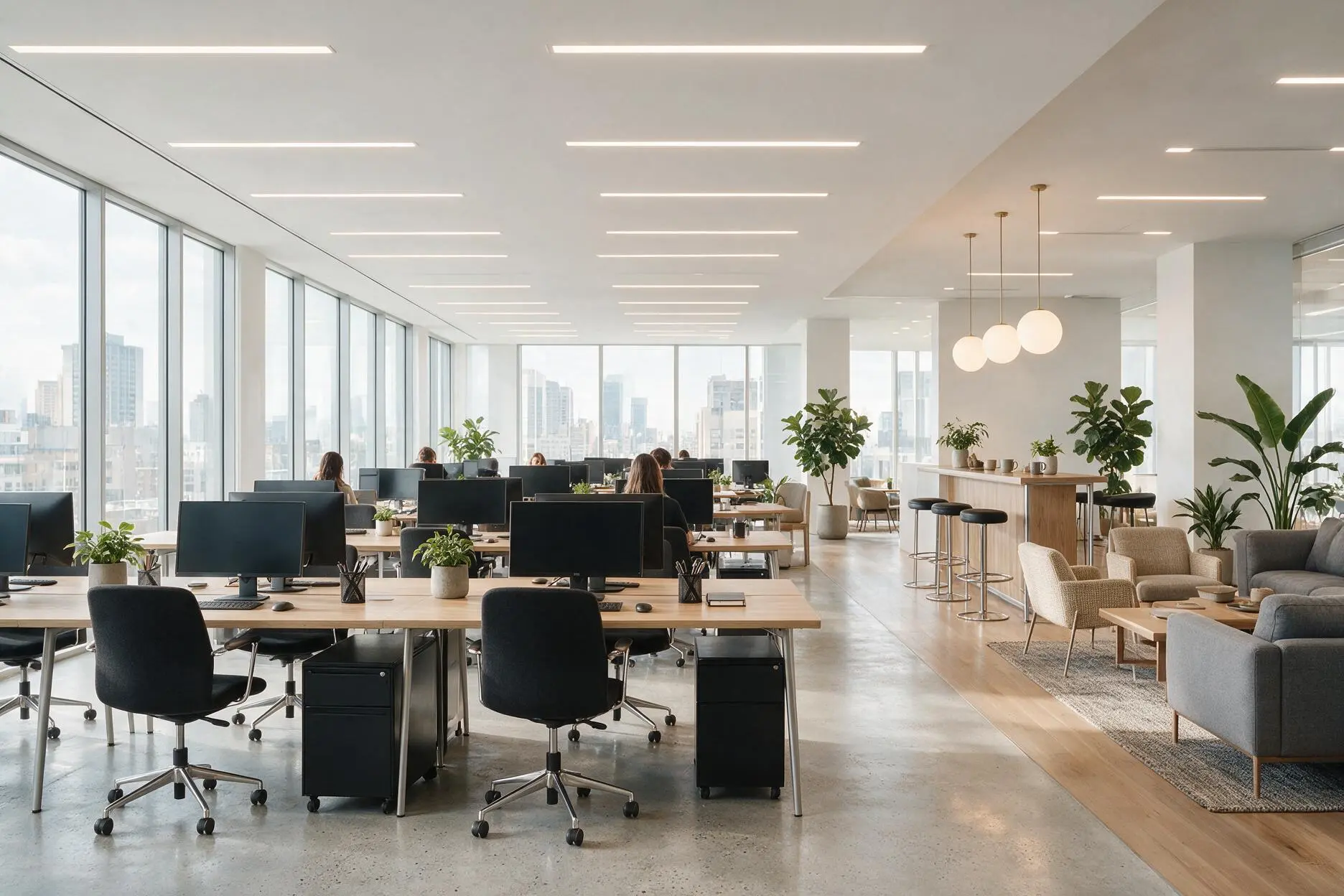
Good office lighting design balances four things: enough light for focused work (typically around 500 lux at the desk), glare control so screens stay readable (a UGR below 19 is the workplace standard), the right colour temperature for alertness (neutral 4000K), and even, comfortable distribution across the space. Poor office lighting causes eye strain, headaches, and fatigue that quietly lower productivity. Well-designed office lighting does the opposite — it keeps people comfortable, alert, and able to work all day without noticing the light at all.
Office lighting is rarely thought about until it's wrong — until staff complain of tired eyes, squint at glare on their screens, or feel drowsy by mid-afternoon. Good lighting design prevents all of that. This guide covers how to light a workplace properly: the levels, the glare control, the colour, and the zones.
Who Is This Guide For?
Business owners, facility managers, and developers fitting out or upgrading offices in Noida, Greater Noida, Gurgaon, and Delhi NCR. Architects and interior designers specifying workplace lighting. And anyone whose office feels harsh, dim, or tiring and wants to understand why.
Why Office Lighting Design Matters
Lighting is one of the biggest influences on how a workplace feels and functions — and one of the most overlooked. Get it wrong and the cost is real but invisible: eye strain, headaches, drowsiness, and a slow drain on focus and morale across everyone in the building.
Get it right and nobody notices the lighting at all — which is exactly the point. People are comfortable, alert, and productive, and the space looks professional. Office lighting design is about engineering that invisible comfort, not just installing enough fixtures.
The Four Pillars of Office Lighting Design
1. The Right Light Level (Illuminance)
Different office areas need different light levels, measured in lux. As a widely used benchmark, the international workplace standard EN 12464-1 recommends around 500 lux for general office work and desk tasks, with less needed for circulation and more for detailed work.
| Area | Typical Target |
|---|---|
| Workstations / desks | ~500 lux |
| Meeting rooms | ~300–500 lux |
| Reception / lobby | ~200–300 lux |
| Corridors / circulation | ~100–150 lux |
| Detailed / technical work | 750+ lux |
The mistake is lighting the whole office to one flat level. Good design matches the level to each area's task.
2. Glare Control (UGR)
Glare is the biggest enemy of office comfort — because of screens. A fixture reflecting off a monitor, or shining into someone's eyes, causes squinting, strain, and fatigue.
This is measured by UGR (Unified Glare Rating), and UGR below 19 is the accepted standard for spaces with screens. It's the single most important spec for office comfort. Our guide to UGR and anti-glare lighting explains it in depth — in an office, it's non-negotiable.
Low-glare fixtures (deep-recessed, dark-light, or well-diffused) keep light on the work, not in people's eyes or on their screens.
3. Colour Temperature for Alertness
Neutral white (around 4000K) is the standard for offices — it's clean, alert, and focus-supporting without being harsh. Warmer light (3000K) suits break-out areas and reception where a relaxed feel is wanted; cooler light suits detailed technical work.
Colour rendering matters too — a reasonable CRI keeps the space and people looking natural rather than washed out. The best offices increasingly use tunable lighting that shifts cooler mid-morning for alertness and warmer later in the day.
4. Even, Comfortable Distribution
Lighting should be uniform across work areas — no bright pools and dark patches that force the eyes to constantly readjust. Even distribution, combined with some indirect light bouncing off the ceiling, creates the comfortable, low-fatigue environment good offices are known for.
Lighting Different Office Zones
An office isn't one space — it's several, each needing a different approach.
Workstations: Even, glare-free light at ~500 lux, low UGR, neutral colour. The core of office lighting.
Meeting rooms: Flexible and dimmable — bright for working sessions, dimmer for presentations. Good for video calls, where face lighting matters.
Reception & lobby: A chance for design impact — warmer, more decorative lighting that sets the brand's tone while staying welcoming.
Break-out & cafeteria: Warmer, relaxed lighting that contrasts with the focused work zones and gives people a genuine change of environment.
Corridors & circulation: Lower levels, often with occupancy sensors, for safe movement without wasting energy.
Cabins & focus rooms: Comfortable task lighting with individual control where possible.
The Automation Layer
Modern office lighting design increasingly includes automation — and it's where design meets savings. Occupancy sensors switch off empty rooms, daylight sensors dim perimeter zones near windows, and scheduling matches lighting to working hours.
This isn't just efficiency — it's better lighting too, adapting to real conditions through the day. Our full guide on commercial lighting automation covers the systems and the returns. Good office lighting design and automation are best planned together.
Common Office Lighting Mistakes
Ignoring screen glare. The number one office lighting failure. High-UGR fixtures reflecting off monitors cause daily strain. Specify UGR below 19.
One flat light level everywhere. Different zones need different levels. Lighting reception like a workstation, or a corridor like a desk, wastes energy and feels wrong.
Cool, harsh light. Overly cool, high-intensity lighting feels clinical and tiring. Neutral 4000K with good distribution is the sweet spot.
Uneven distribution. Bright pools and dark patches force constant eye readjustment and cause fatigue.
Only ceiling downlights. A layer of indirect light softens the space and cuts glare. Pure downlighting can feel harsh.
No automation. Manual-only office lighting wastes energy and can't adapt to daylight or occupancy.
Expert Recommendation from Brightmatic
For the offices we design across Delhi NCR, our standard is around 500 lux at workstations, UGR below 19 throughout work areas, neutral 4000K light, even distribution, and automation for daylight and occupancy — with warmer, more expressive lighting reserved for reception and break-out zones.
The insight worth passing on: businesses often judge office lighting by whether the space looks bright and finished on handover day. But the real test is how people feel at 4 PM, three months in. Glare you don't notice on a walk-through becomes a daily headache for someone facing it eight hours a day. The best office lighting is the lighting nobody in the office ever thinks about — because nothing about it is uncomfortable.
Design for the people who'll work under it every day, not for the handover photo. That's the thinking behind our lighting control and workplace lighting approach — lighting that's Designed Around Experience, for the people actually using the space.
Planning Office Lighting?
Great office lighting is invisible — people simply feel comfortable and alert without ever thinking about the light. That comes from proper design: the right levels, glare control, colour, and distribution.
Not sure if your office lighting is working against you? Get a free consultation.
Planning an office in Noida or Delhi NCR? Contact Brightmatic for a personalised office lighting design consultation.
FAQ's
What is the ideal lux level for an office?
Around 500 lux is the widely used benchmark for general office work and desks, based on the EN 12464-1 workplace standard. Meeting rooms need roughly 300–500 lux, reception 200–300 lux, corridors 100–150 lux, and detailed technical work 750 lux or more. Matching the level to each area is key.What is the best colour temperature for an office?
Neutral white, around 4000K, is the standard for offices — clean and alert without being harsh. Warmer 3000K suits reception and break-out areas, while cooler light suits detailed technical work. Tunable lighting that shifts through the day is increasingly popular.How do I stop glare on computer screens in an office?
Use low-glare fixtures with a UGR below 19, the accepted workplace standard. Deep-recessed or well-diffused fixtures keep light on the work rather than reflecting off screens or shining into eyes. Positioning fixtures relative to workstations also matters — avoid placing them directly behind screens.Why does office lighting affect productivity?
Poor lighting causes eye strain, headaches, and drowsiness that quietly reduce focus and output across everyone in the building. Good lighting — correct levels, low glare, neutral colour, even distribution — keeps people comfortable and alert, supporting sustained productivity through the day.What is UGR and why does it matter in offices?
UGR (Unified Glare Rating) measures discomfort glare, and a value below 19 is the accepted standard for spaces with screens. It's the single most important office lighting spec — high-glare fixtures reflecting off monitors are the most common cause of workplace eye strain and fatigue.
Comments
No Comments